
Hacking the Human - What is Social Engineering?

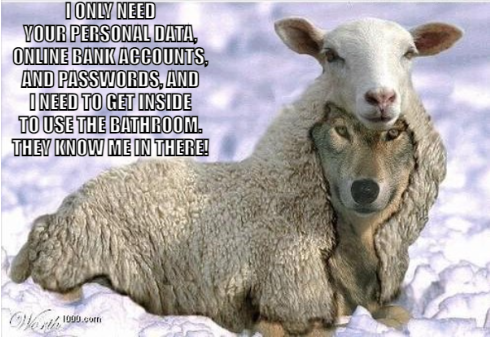
Social Engineering is a tactic used by hackers and criminals to manipulate individuals into breaking security protocols and practices. They rely on human interaction to gain unauthorized access to systems, locations, networks or for theft. The objective is to trick users into revealing sensitive information or giving access to the resources of an organization. Both digital and physical scams. Phishing, email scams, piggybacking (entering a building right after an authorized person), baiting (leaving random USB sticks in the open for unsuspecting people to try on their computer), or even dumpster diving (searching for any useful information on discarded paper) are popular social engineering techniques used!
Many of these exploits take advantage of people’s trusting nature, willingness to help, or fear of punishment. Examples include attackers pretending to be an ex-employee, former student, or friend of an admin or authoritative figure, IRS, or Law enforcement, and always having an urgent need for information. They can even request to enter a physical building. Once they have gained access to the network or building, they can find vulnerabilities in the network and overall security measures in place. Not every email is urgent and not every request needs immediate attention!
Here is what you can do to prevent being tricked:
Carefully review your emails before clicking links. Suspicious characteristics may include:
- Receiving work emails from colleagues’ non-MDSA email
- Any email with links unrelated to normal school/work content
- Any email asking for immediate action on a matter
- Emails asking for personal information, financial information, or logins
- Threats, shaming, overt imposition of authority
- Sender’s job role-context mismatch (e.g., a teacher asking student to pay an invoice)
What should I do if I see a suspicious email?
- Do not click any links in suspicious emails.
- Save the email as a pdf or take a screenshot.
- Send the file to the Helpdesk.
- Delete the suspicious email.
What should I do if I’ve clicked a link in a suspicious email?
- Stop what you’re doing immediately
- Change your password
- Faculty & Staff (Ctrl – Alt + Del) -> “Change Password” if on campus or if at home report to the helpdesk using your personal email
- Students use personal email to report to helpdesk@mountdesales.org
- Restart your computer & log back in
- Report to IT at helpdesk@mountdesales.org
Also, report any stray USB sticks/thumb drives to the Helpdesk if you locate one!
Lastly, if an individual makes a request to enter a building, please ensure these people go through reception here at MDS – This is a physical security protocol we all must follow.
You can read more about it here – Hacking the Human: Social Engineering